
It Might Be Time to Retire That Wall Calendar 😄
If your wall calendar is struggling to keep up with your family schedule, you’re not alone.
Between school activities, work events, appointments, practices, and trying to protect even a little time for yourself, keeping track of everything can start to feel like a full-time job. And when plans change (because they always do), that pen-and-paper system can fall apart fast.
That’s why we moved most of our scheduling to digital tools — and it has made our weeks feel a whole lot more manageable.
How We Use Google Calendar (Without Sharing Everything With Everyone)
We use Google Calendar as our main scheduling base — but not in an “everyone sees everything” way.
We share events with each other when it’s something the whole family is involved in — like appointments, activities, or events we’re all attending. That way it shows up automatically with the correct time and location, and no one has to dig through text messages to find the details.
For individual items — like my vendor events or business commitments — I don’t send those to everyone directly. Instead, they sync into our home display calendar so they’re still visible at a glance without cluttering everyone’s personal calendar.
It keeps things organized without being overwhelming.
Our Skylight Calendar = Our Family Command Center
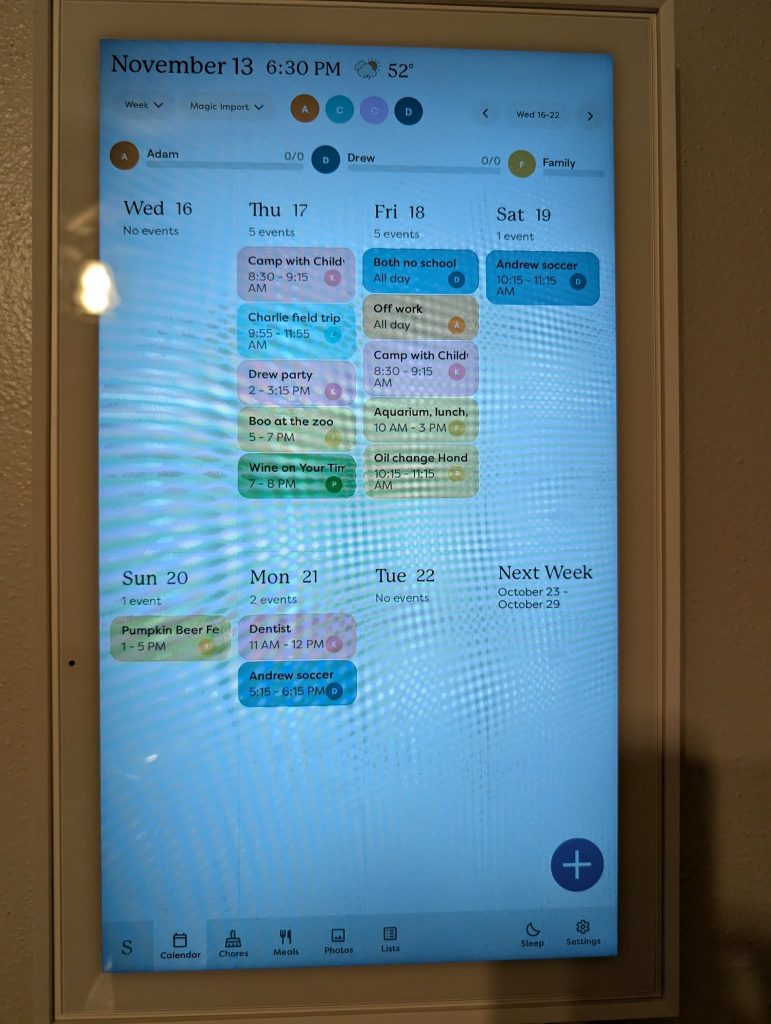
One of the most helpful things we’ve added is a Skylight calendar in our home. It syncs with Google Calendar and gives us one central place to see everything.
What makes it especially useful for us:
- Each family member has their own color on the calendar
- My business schedule has its own color
- Self-care time has its own color (because that counts)
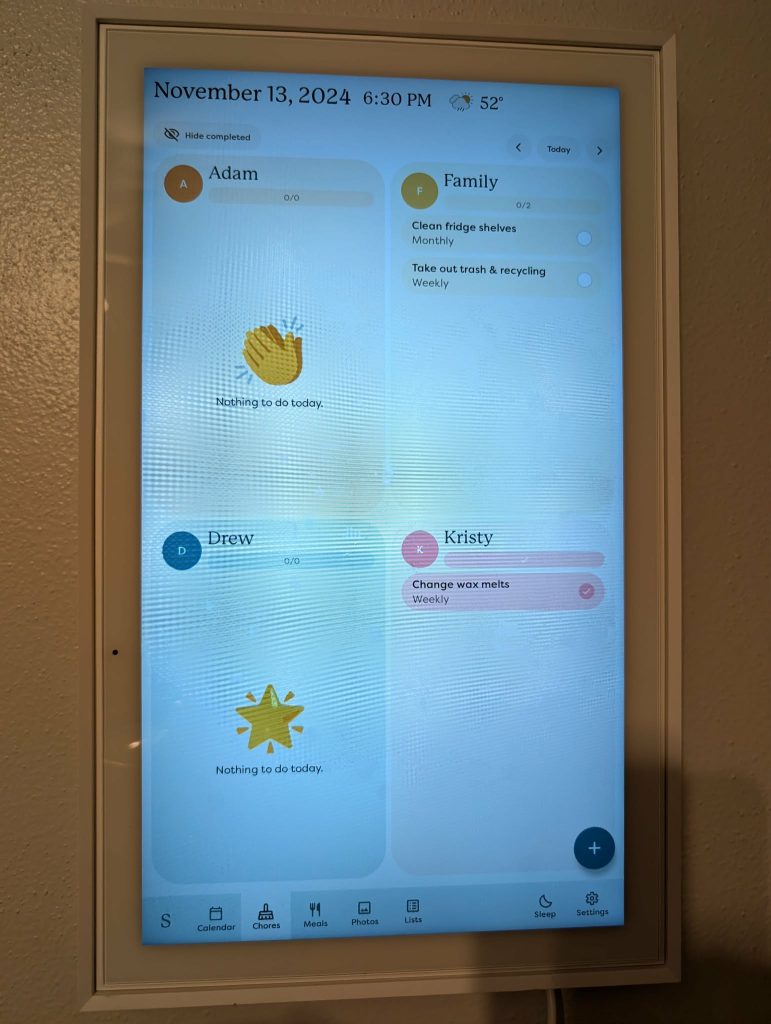
And beyond the calendar itself, there’s also a built-in tasks tab that we use for routines and chores. That’s where we track things like:
- House cleaning tasks
- Weekly and monthly chores
- Kids’ daily routines — brushing teeth, putting dishes away, packing school items
It helps the kids see what needs to be done and builds a little independence — without me having to repeat the same reminders all day.
Being able to walk by and instantly see the schedule and check routine tasks helps everyone stay on the same page — not just me.
If You’ve Been Thinking About a Skylight — I Have a Discount for You
If you’ve been curious about trying a Skylight calendar, I do have a discount code you can use. We added ours after realizing how often we were asking, “Wait — what’s happening today?” and it’s been worth it for our household.
You can use my link to save when you order.
No pressure — just sharing what’s genuinely been helpful for us.
Don’t Forget to Schedule Your Own Time Too
One of the biggest changes I made was adding my personal time to the calendar on purpose — workouts, walks, quiet time, appointments — it goes on the schedule like anything else.
If it’s not scheduled, it usually gets pushed aside.
Seeing it alongside everything else helps me protect that time instead of hoping it magically appears.
Try This This Week
If your current system feels scattered, try this:
- Move your main schedule into a digital calendar
- Share only events that involve everyone
- Use color coding for faster visibility
- Add a shared display calendar if your household needs a central hub
Small systems can make a big difference when life is full.
If you try it, I’d love to hear how it works for your family.
Leave a Reply